AncestralFire · How it works
Bring your family. Here's what happens next.
AncestralFire is your partner for family history. Bring your family in, and it does the digging: it meets everyone, finds the stories, notices what's missing and shows you where to go next, with the source behind every fact. Here is each step, with the real screens.
Bring your family, any of three ways
Sign in with your free FamilySearch account, and your nearest generations come in first, then further back as it keeps going. Bring a family file, a GEDCOM from Ancestry, MyHeritage, RootsMagic or any program, and it reads all of it. Or, starting from nothing, tell it one name: yours, then someone in your family who has died.
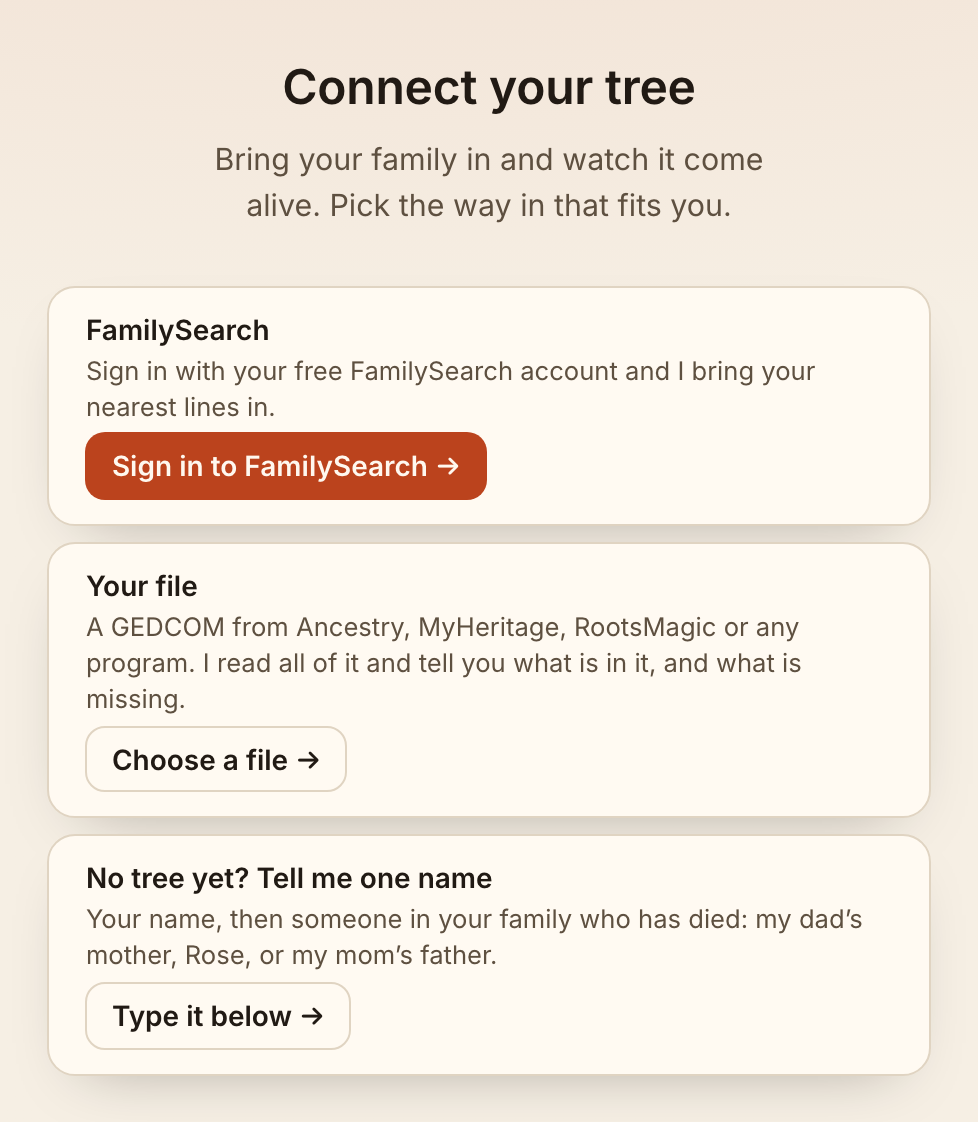
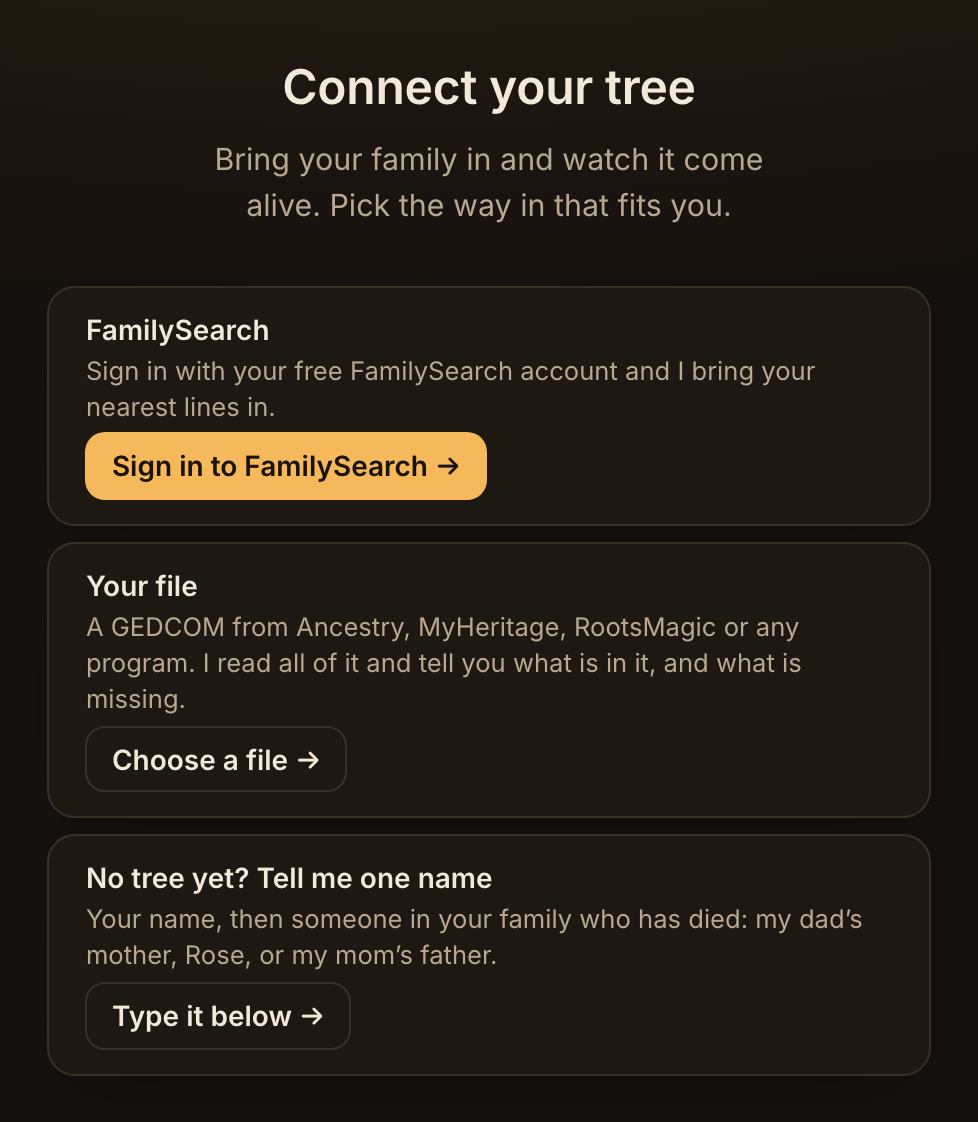
-
Meet everyone
The first thing you see is your whole family at a glance: everyone you brought, your parents and grandparents first, then further back, and how far back each line goes. Every empty place is someone still to find.
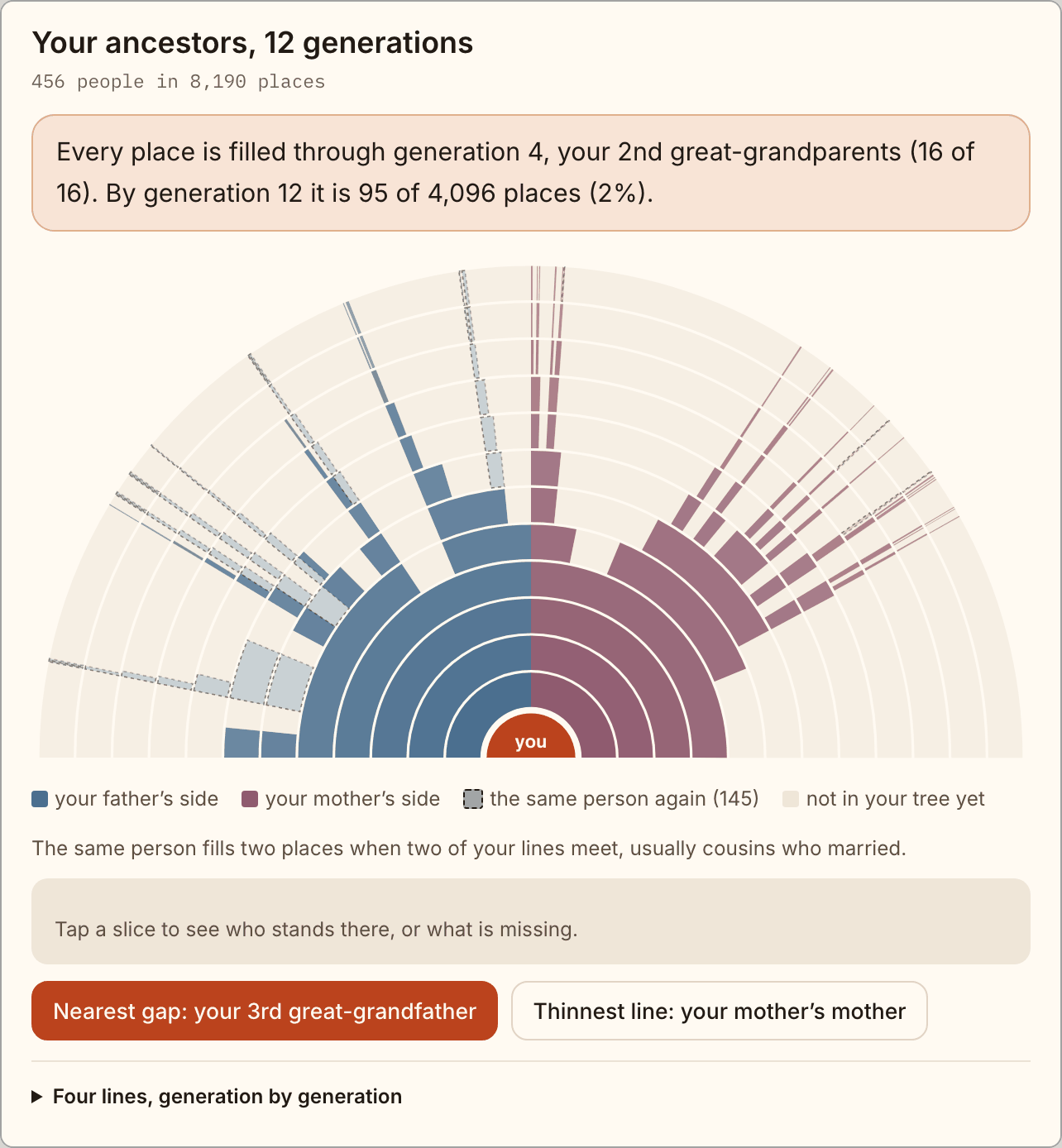
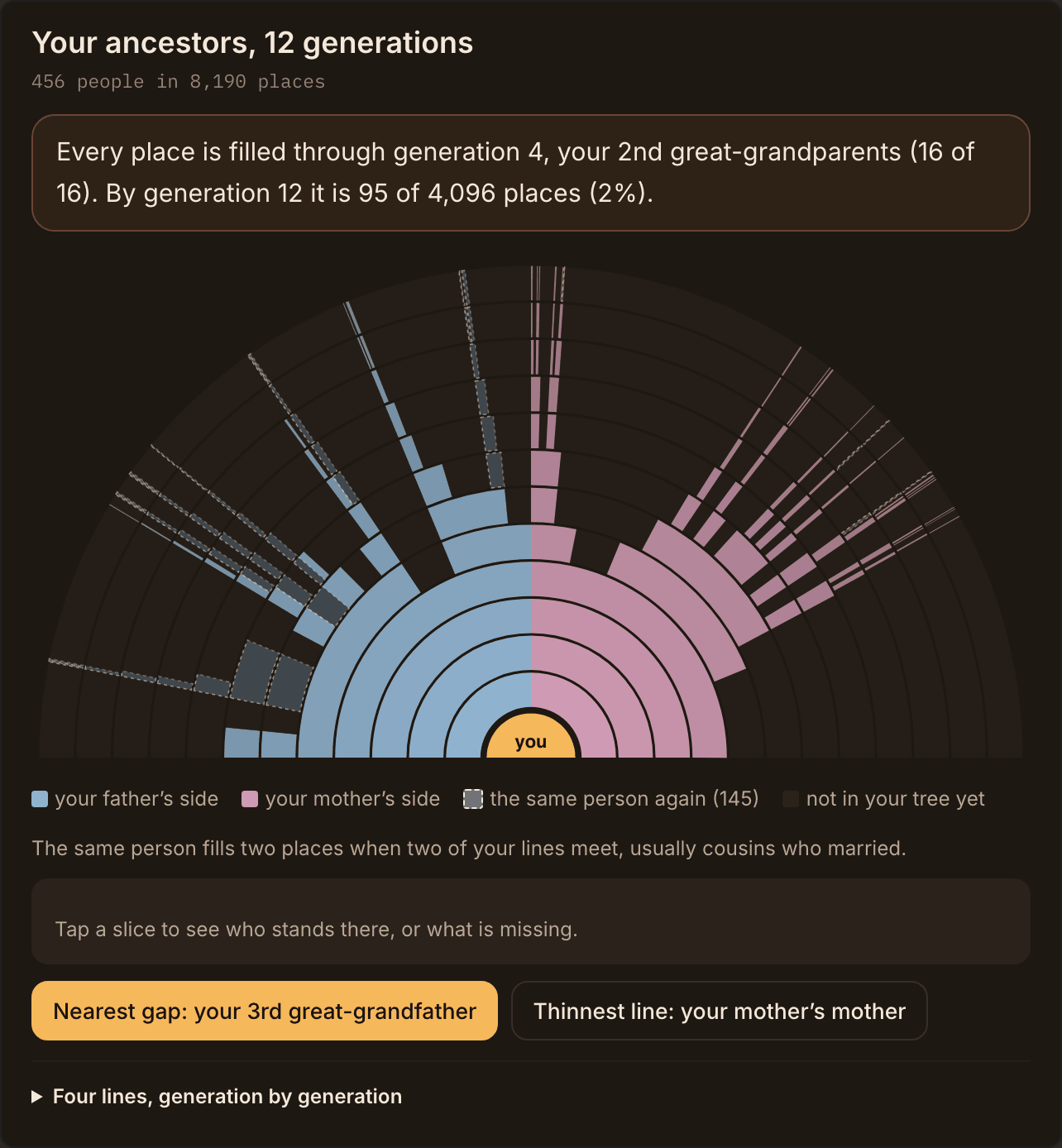
Twelve generations at a glance. Elizabeth II's published family tree, by what is known. Tap a gap and it says who is missing and what to look for. -
Hear their stories
Then it tells you what stands out, before you think to ask: who left home and where they went, who lost a father young, who was born or died on this day. Pick anyone and their whole life is in front of you, in the order it took them, with the people around them and where each fact came from. When something isn't known, it says so.
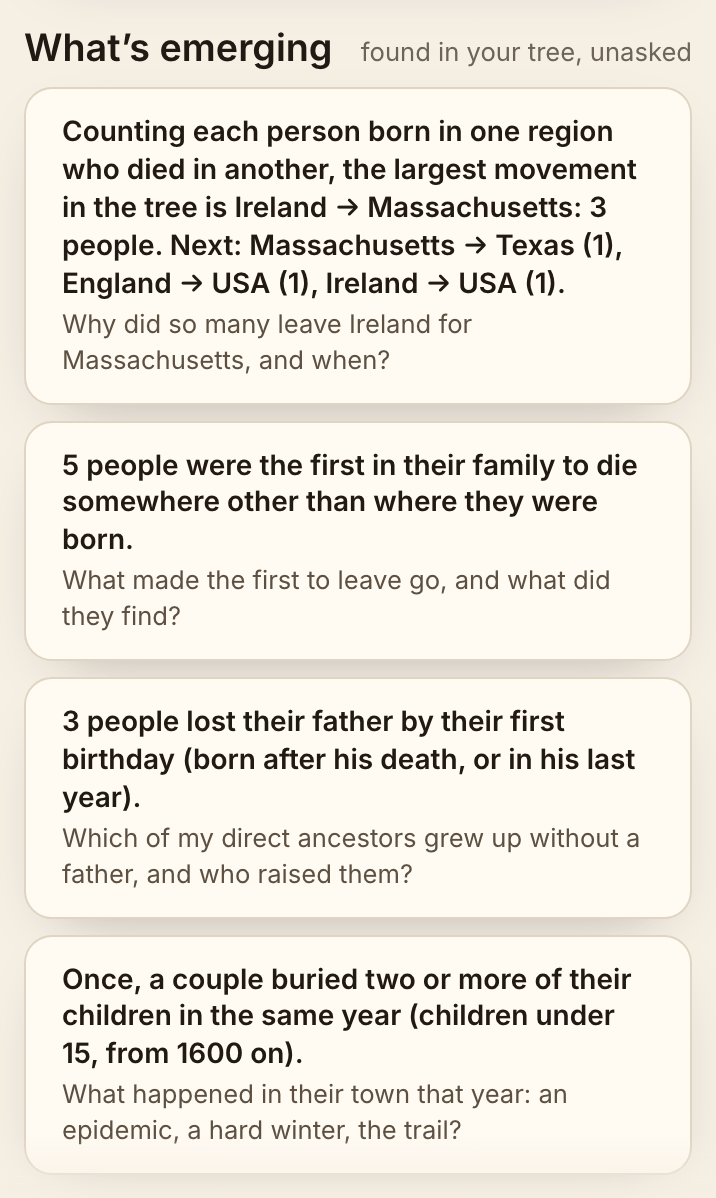
Stories it found on its own. In the Kennedy family's published tree, unasked. 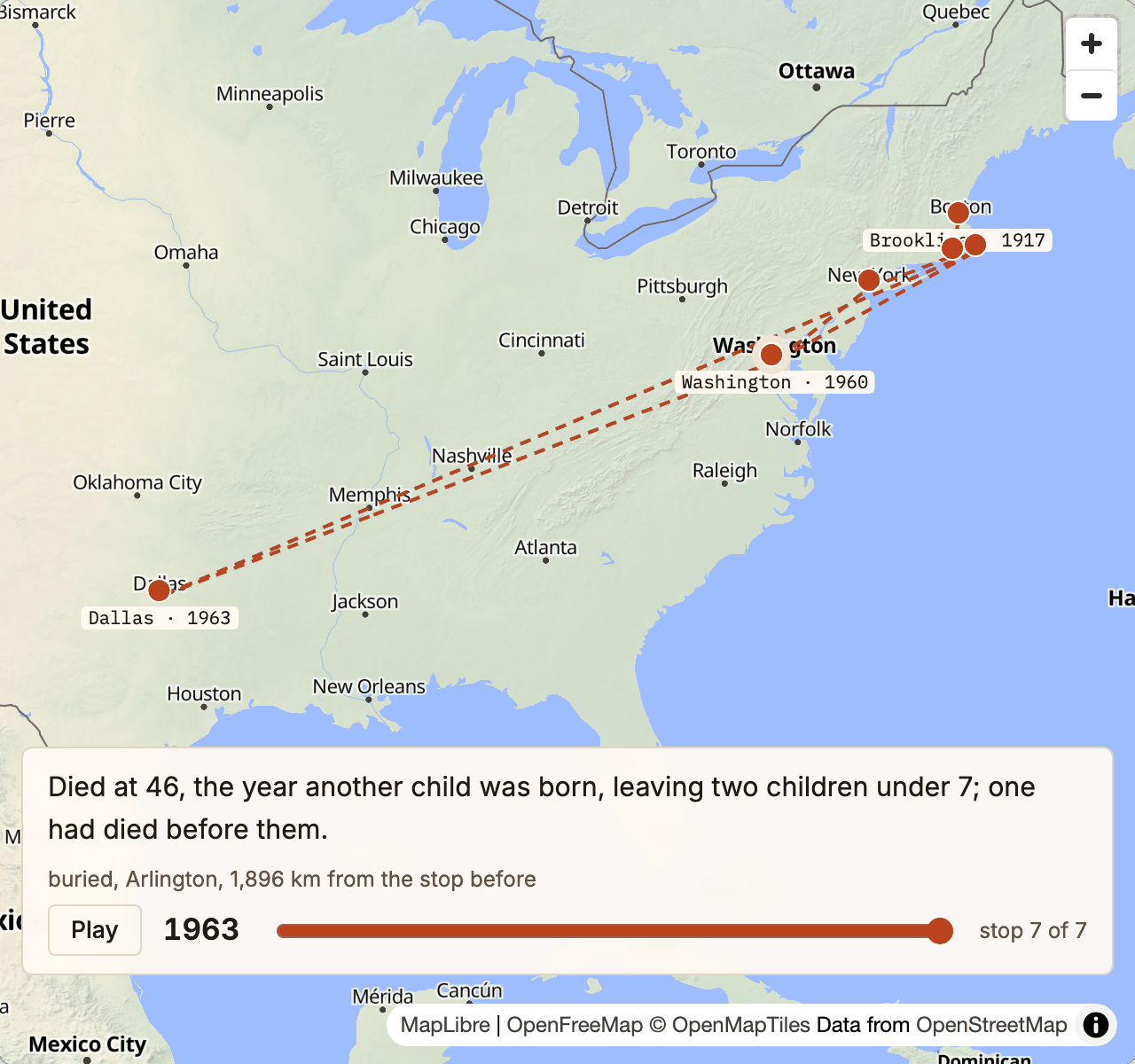
One life, stop by stop. John F. Kennedy's, from his family's published tree. Press play and watch it unfold. 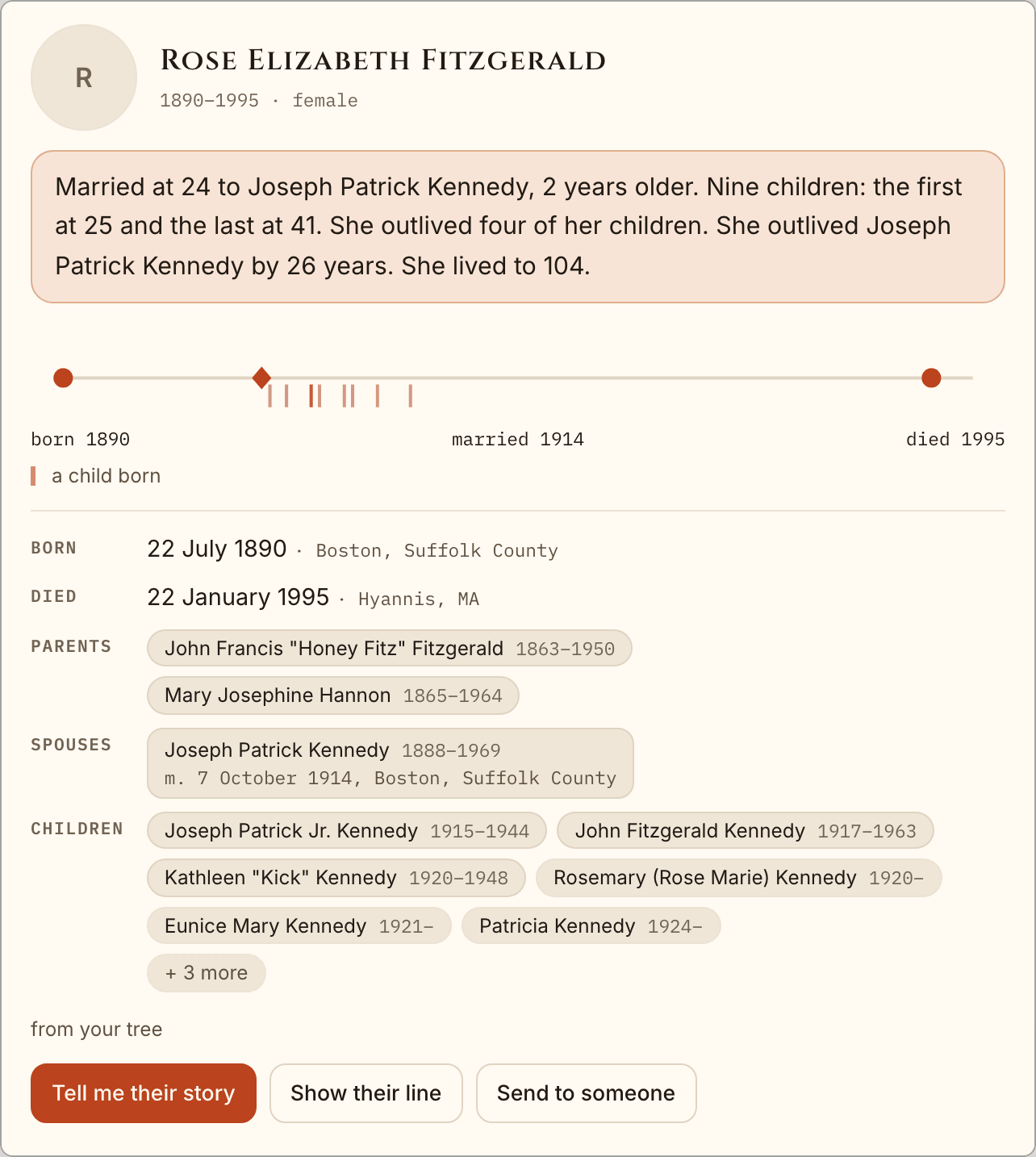
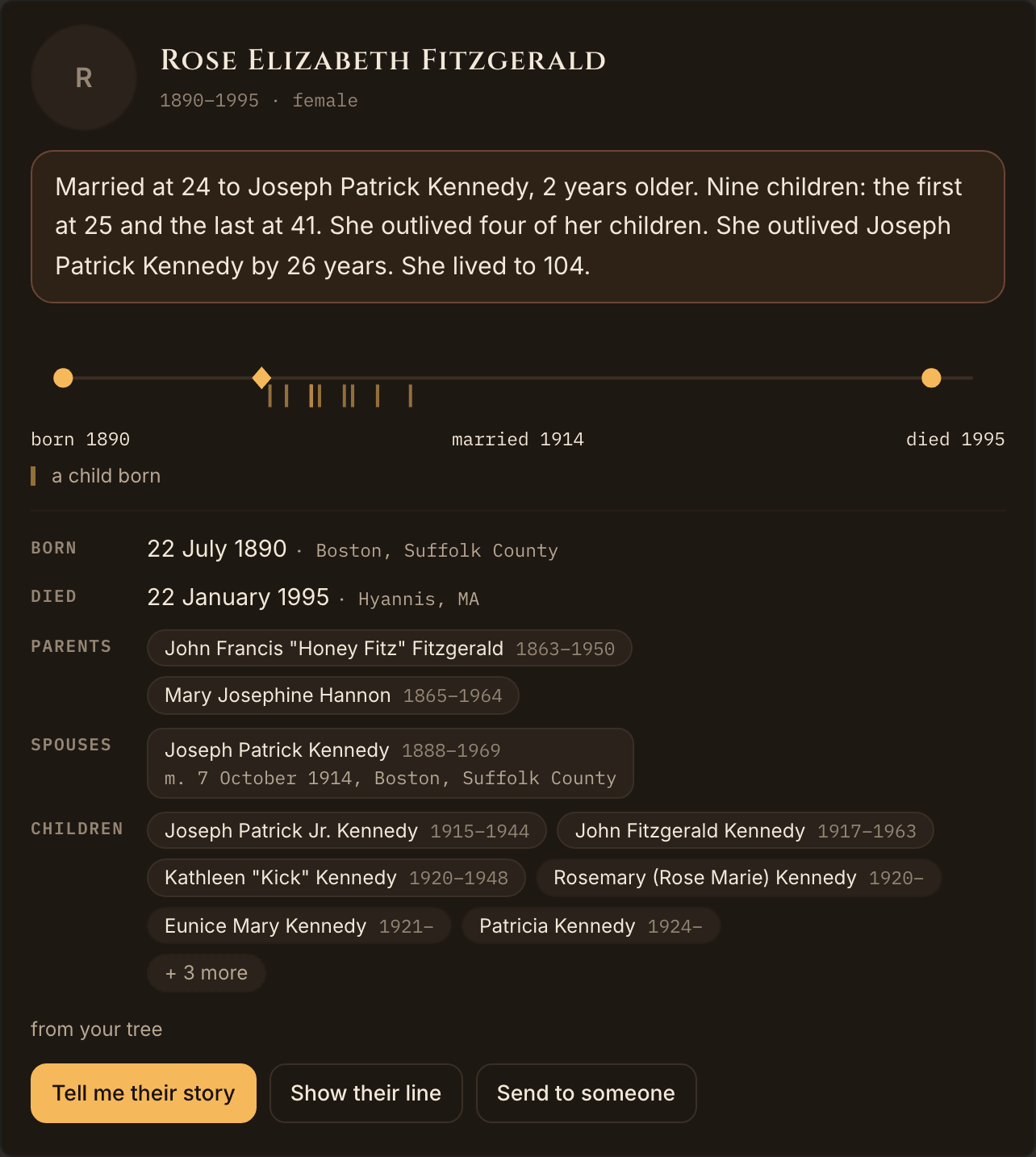
A person, whole. Rose Fitzgerald Kennedy: what stands out first, then her life on one line, her parents, her husband and her children. -
See what's missing
It notices what a family history leaves out: dates and places nobody filled in, lines that stop, records FamilySearch suggests for your people, and facts that can't all be true. Big family trees copy whole lines from one another, mistakes and all, so it shows you where the doubt begins. A finding is a lead to check at the source, never a fact on its own.
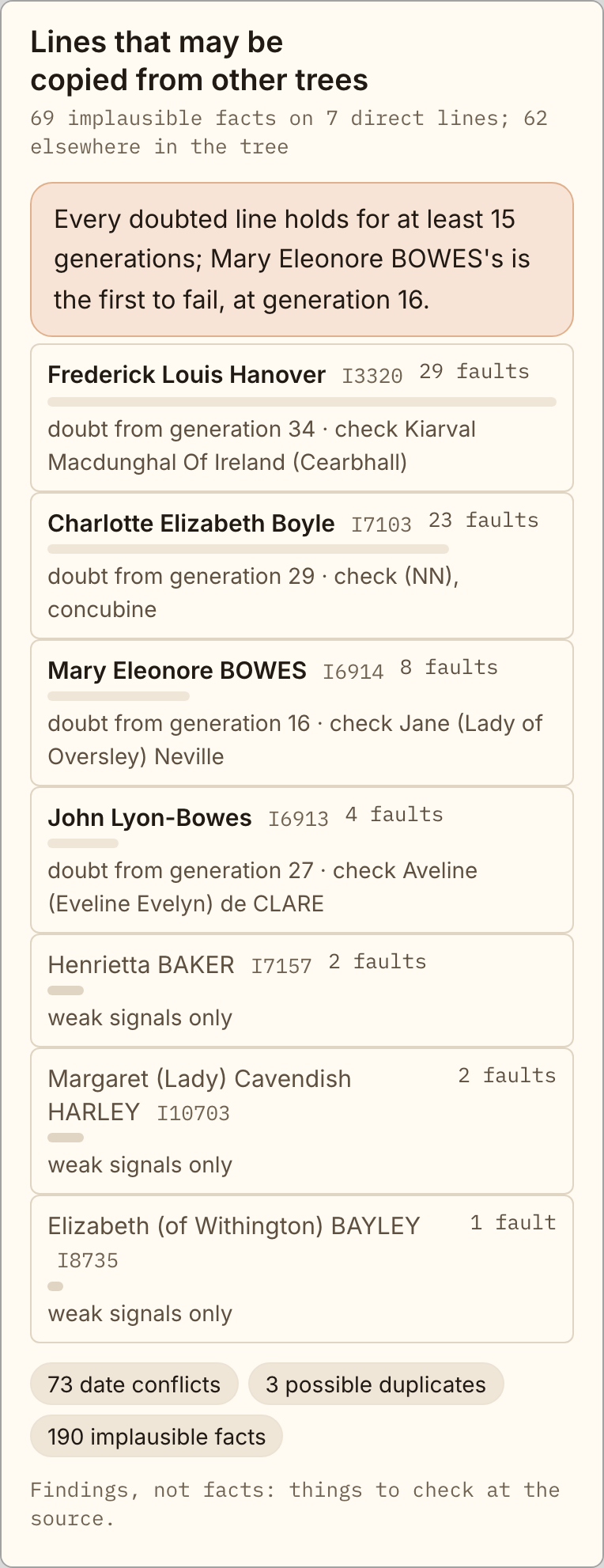
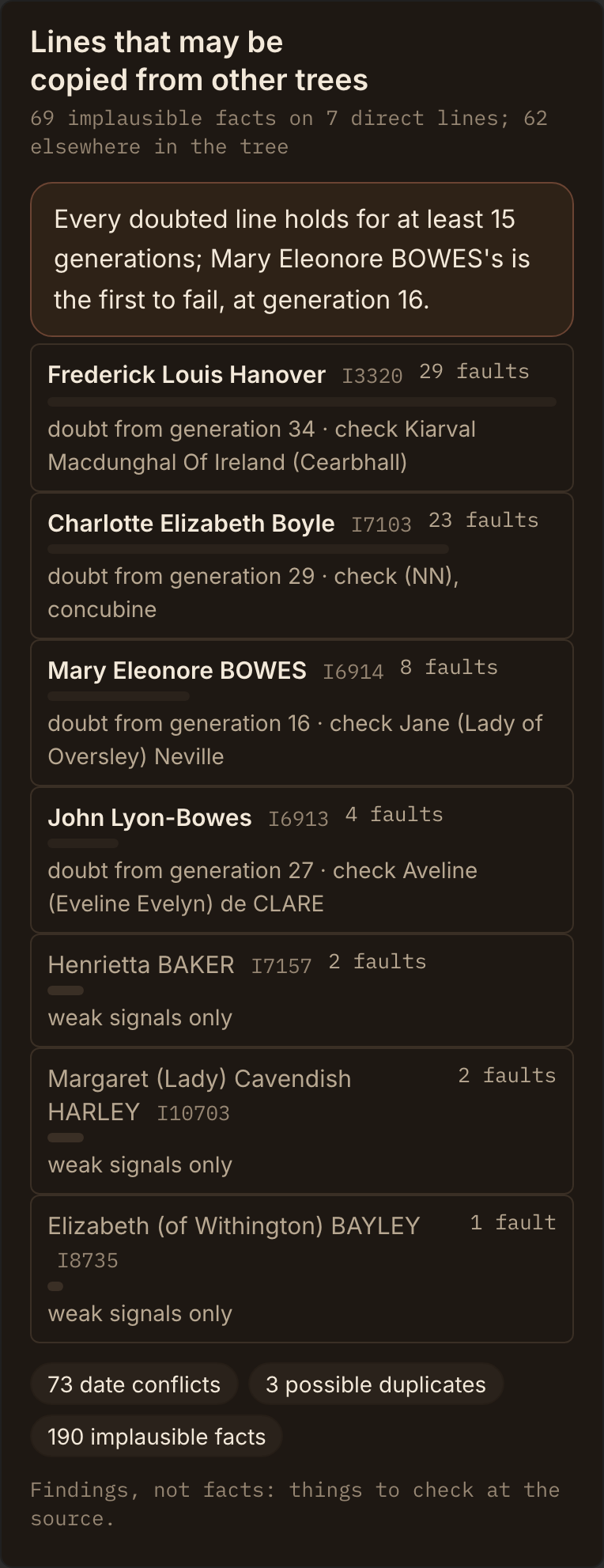
Where the facts stop adding up. Elizabeth II's published tree, checked: seven of her lines hold for 15 generations or more, then run into facts that can't all be true. -
Know where to go next
Someone to look into. A story to discover. Something to set right. And you can ask anything, the way you'd ask a friend who knows history. It reads your family's tree first, searches FamilySearch once you connect it, and answers with its source. When it needs something from you, it asks. This is part of one real conversation:
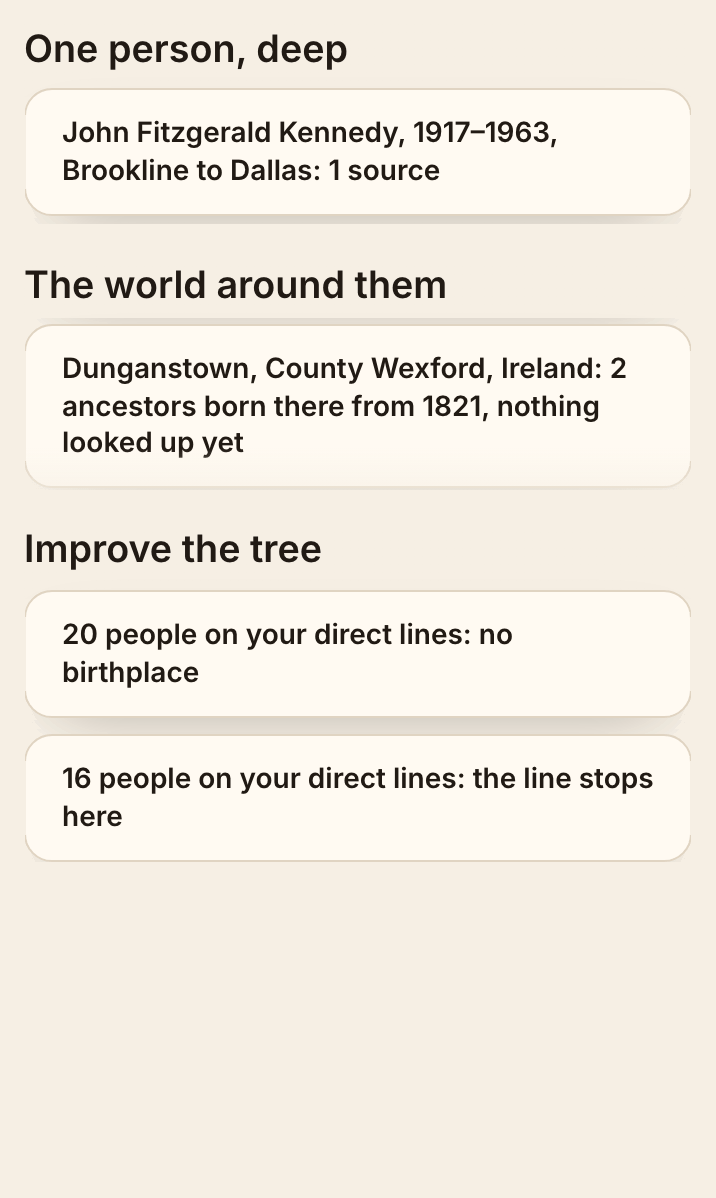
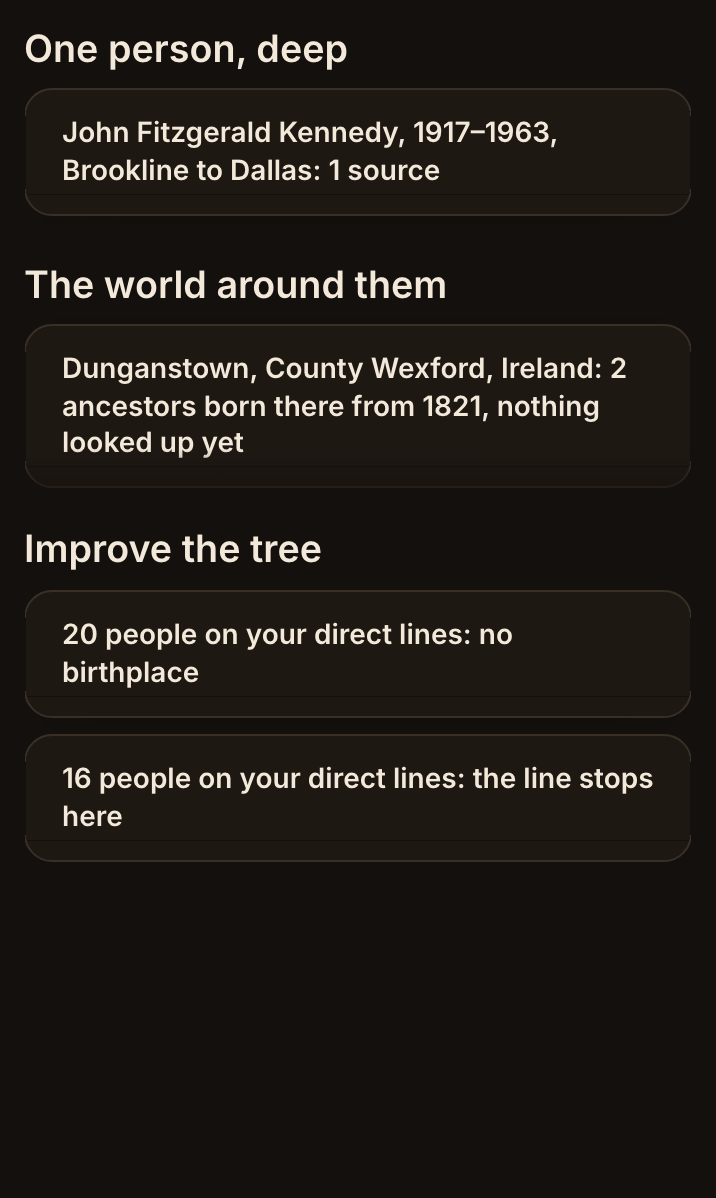
Where to look next. From John's family: a life to go deeper on, the Irish townland two ancestors came from, and 16 lines that stop. I'm John Fitzgerald Kennedy. Make me the home person.
Find a personI found the exact-name entry in your imported tree and set John Fitzgerald Kennedy as the home person. The tree lists his birth as May 29, 1917, in Brookline, Massachusetts.
Who was the first in my family to leave Ireland, and what became of him?
Your familyThe earliest-born ancestor in your tree from Ireland is Edmond (Edward) Fitzgerald, born in 1798. Your tree records that he left Ireland, but it doesn't specify the year of his departure.
Among those with immigration dates recorded, the earliest to leave was your great-grandfather Patrick Kennedy (born about 1823 in Dunganstown, County Wexford), who immigrated to Boston around 1847. He settled in Boston, married Bridget Murphy, worked as a cooper, and died there in 1858 at about age 35.
Want me to show you the records attached to Patrick Kennedy on FamilySearch?
Read the whole conversation, exactly as it came back
It was recorded on September 29, 2026 on a new account with the Kennedy family's published tree, a file anyone can download. Nothing below was edited.
I'm John Fitzgerald Kennedy. Make me the home person.
Find a personI found the exact-name entry in your imported tree and set John Fitzgerald Kennedy as the home person. The tree lists his birth as May 29, 1917, in Brookline, Massachusetts.
Who was the first in my family to leave Ireland, and what became of him?
Your familyThe earliest-born ancestor in your tree from Ireland is Edmond (Edward) Fitzgerald, born in 1798. Your tree records that he left Ireland, but it doesn't specify the year of his departure.
Among those with immigration dates recorded, the earliest to leave was your great-grandfather Patrick Kennedy (born about 1823 in Dunganstown, County Wexford), who immigrated to Boston around 1847. He settled in Boston, married Bridget Murphy, worked as a cooper, and died there in 1858 at about age 35.
Want me to show you the records attached to Patrick Kennedy on FamilySearch?
And his wife? Where did she come from?
Your familyYour tree says Bridget Murphy was born in Dunganstown, County Wexford, Ireland, in 1821, and records her immigration to Boston around 1847. It lists her death in Boston in 1888. Want me to map her journey from Dunganstown to Boston?
What was happening in Ireland the year they left?
Outside historyYour tree dates Patrick Kennedy and Bridget Murphy’s immigration to Boston to about 1847. In Ireland, 1847 was the worst year of the Great Famine, known as “Black ’47”; potato blight devastated crops, and famine drove mass emigration (EH.net; “1847 in Ireland”). That context may have mattered to them, but the tree doesn’t record why they left. Want me to look more closely at conditions in County Wexford around their departure?
How am I descended from him?
RelationshipYour tree shows Patrick Kennedy as your great-grandfather: his son Patrick Joseph Kennedy was your grandfather, whose son Joseph Patrick Kennedy was your father. Want me to trace your mother Rose Elizabeth Fitzgerald’s side next?
Tell me about my mother, Rose. Where did her family come from?
Your familyYour mother, Rose Elizabeth Fitzgerald, was born in Boston in 1890 and lived to the remarkable age of 104, passing away in 1995. Her parents were John Francis "Honey Fitz" Fitzgerald and Mary Josephine Hannon, both born in Massachusetts, though her grandfather Edmond Fitzgerald came from Ireland.
Want me to show you what your tree records about her father, "Honey Fitz"?
What doesn't the tree know about Patrick?
Your familyYour imported file records Patrick’s birth around 1823, immigration to Boston around 1847, work as a cooper, and death in 1858. A note says he died of consumption, but the file has no attached birth or death record or 1850 census to verify details; his parents are named Patrick and Mary Johanna, but their dates aren’t given. Want to connect your FamilySearch account so I can check for records that might fill those gaps?
Share what you find with your family
Behind every name is a person, and their stories are worth handing on. Send a page about someone to your children and grandchildren: it's made from your family's tree in seconds, shared by a link you control, and you can stop sharing it any time. Download everything as a GEDCOM file that every family-history program opens, or delete your account and all of it, from Settings. Your family is yours.
Is it accurate? Here's what it will and won't say.
- It answers from your family's own tree, and from FamilySearch Family Tree once you connect it. When it reaches for history or a free source outside the tree, it says where the words came from, as it did with the famine in the conversation above.
- It says where every answer comes from. "Your tree says", "your imported file records", and for history outside the tree, the source by name. When the record is silent, it says so.
- History is not proof. What happened where your ancestors lived is told as the history around them, never as something they did. "That context may have mattered to them, but the tree doesn't record why they left."
- It asks before it guesses. Who you are, which Patrick you mean, when you think they died: when it matters, it asks.
- Nothing changes behind your back. It changes your tree only when you ask, and writes to FamilySearch Family Tree only after you've seen exactly what will change and pressed Approve.
With your FamilySearch account
Connect your free FamilySearch account, and your family in FamilySearch Family Tree, the largest shared family tree in the world, comes into your tree here. Your password stays on FamilySearch.org: we never see it. The sign-in token is encrypted in your own database and deleted when you disconnect.
- It reads your tree: people, facts, marriages, portraits and memories.
- It compares your file with FamilySearch Family Tree and shows where they differ, with a text link to FamilySearch.org to review each difference.
- It writes back, when you say so: a source attached to a person, with your own words recorded as the reason.
- It tells you everything FamilySearch Family Tree holds, every fact and every source with its citation, and sends you to FamilySearch.org for historical records.

AncestralFire is independent: it is not affiliated with, sponsored or endorsed by FamilySearch. It is FamilySearch Compatible, listed in the FamilySearch Solutions Gallery.